

Staff records & contracts
Every member of staff has one record holding their personal details, contract, documents, qualifications and roles. This page covers onboarding, maintaining and deactivating that record.
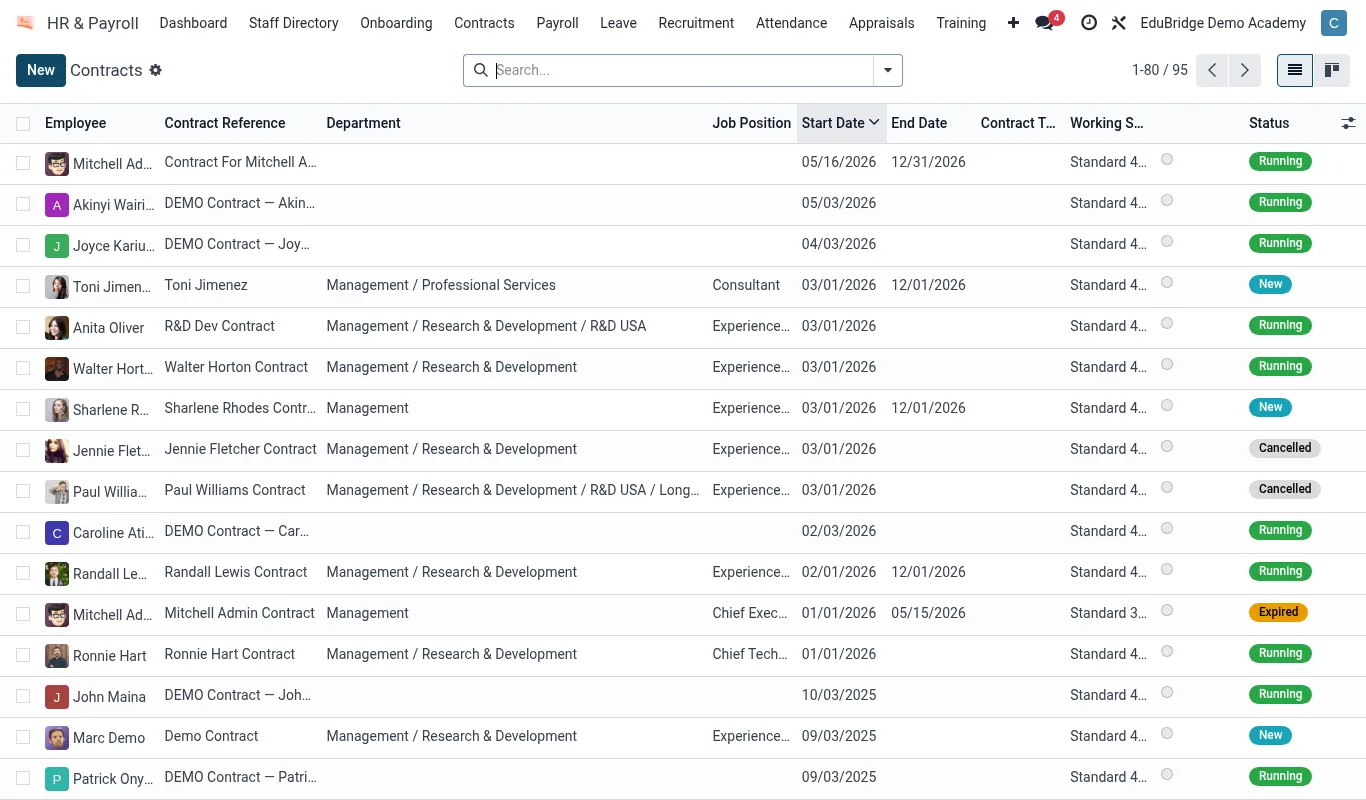
Where to find it — App drawer → HR & Payroll → Contracts.
Onboarding a staff member
- Open
HR → Staffand click New. - Enter personal details, contact information and emergency contact.
- Set the Job position and Department, and the Manager.
- Create a Contract: start date, type (permanent, fixed-term, part-time), salary and pay calendar.
- Upload required documents: ID, qualifications, vetting/clearance, signed contract.
- Create the matching EduPrime user account and assign security groups for the apps they need.
Important — Do not give a new teacher a user login before vetting documents are recorded and approved. Onboarding and access should move together so that an unvetted adult never has access to student data.
Qualifications & roles
The Qualifications tab records degrees, teaching registrations and CPD, each with an expiry where relevant (e.g. first-aid certification). EduPrime can alert HR before a registration lapses.
| Tab | Holds |
|---|---|
| Personal | Identity, contact, emergency contact |
| Contract | Terms, salary, dates |
| Documents | ID, vetting, certificates |
| Qualifications | Degrees, registrations, CPD |
| Roles | Position, department, app access |
Contract changes & renewals
Promotions, salary changes and renewals are recorded as new contract versions, preserving the history. The dashboard flags contracts ending within a configurable window so renewals are never missed.
Deactivation & leavers
When a member of staff leaves, do not delete the record – archive it. Archiving:
- Closes the contract with an end date and reason.
- Disables the user login so access stops immediately.
- Retains the record for HR history and payroll/audit purposes.
Tip — Run a termly “access vs employment” check: any active EduPrime login whose staff record is archived is a security gap and should be disabled at once.
Related pages
Was this page helpful?