

Payroll
EduPrime runs payroll on your local pay calendar, builds payslips from salary components, and supports the statutory deductions your jurisdiction requires.
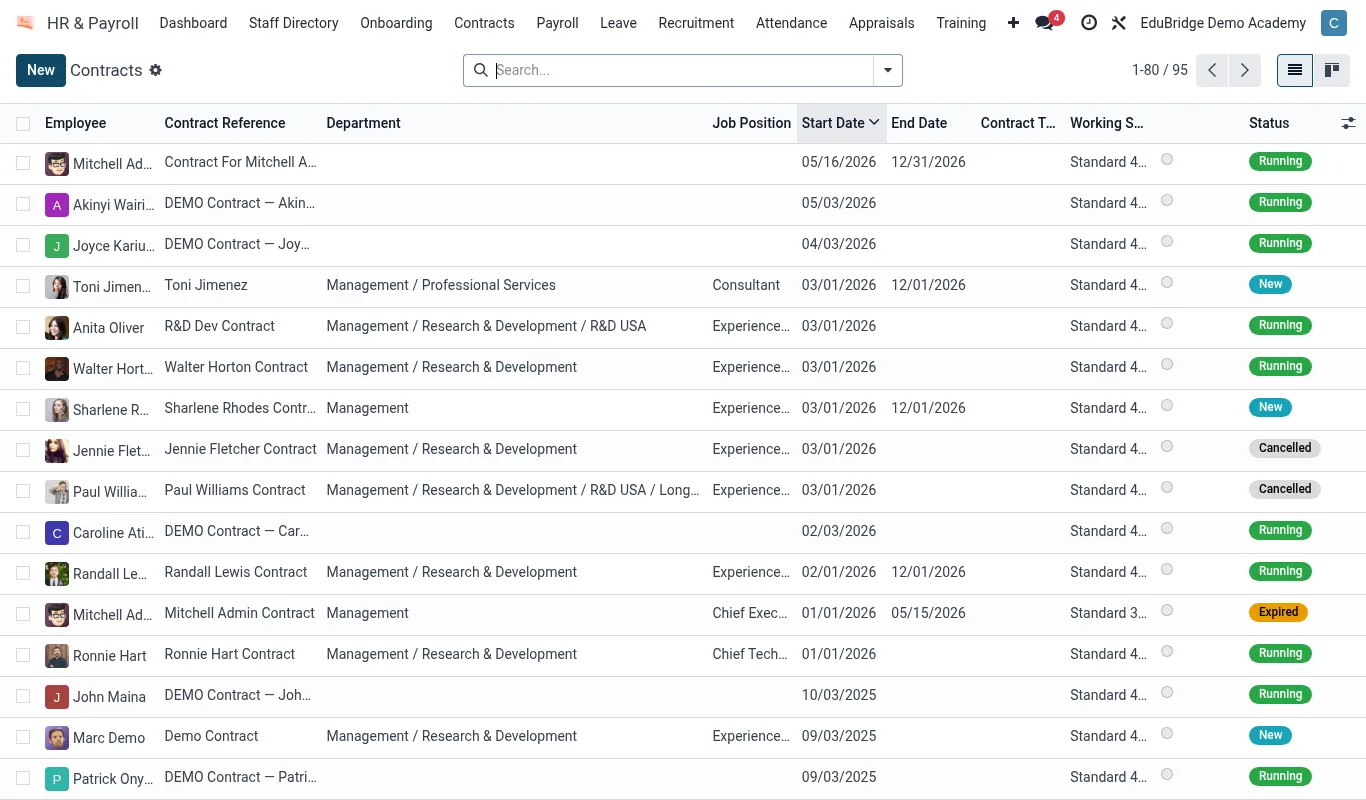
Where to find it — App drawer → HR & Payroll → Contracts.
The pay calendar & components
Before running payroll, configure the structure once.
- Set the pay calendar – monthly is usual – with the period dates and pay date.
- Define earnings components: basic salary, allowances (housing, transport, responsibility), overtime.
- Define deduction components: statutory taxes and contributions, loan repayments, advances.
- Assign each staff member a salary structure linking their components.
| Component type | Examples |
|---|---|
| Earnings | Basic, housing, transport, overtime |
| Statutory deductions | Income tax, pension/social security, health levy |
| Other deductions | Salary advances, staff loans, union dues |
Running a payroll batch
- Open
HR → Payroll → Pay Runsand click New batch for the period. - Add the staff to include – usually all active employees on that calendar.
- Click Compute. EduPrime builds each payslip from the salary structure, applying earnings and deductions.
- Review the batch totals and any exceptions (missing component, negative net).
- Confirm the batch to lock it, then generate payslips and the bank payment file.
Important — Always review the batch before confirming. A confirmed pay run posts to the accounts and cannot be casually edited – corrections must be made through an adjustment in the next period or a documented reversal.
Payslips & statutory reporting
Each employee receives a payslip showing gross, deductions and net, available through the staff portal. EduPrime produces the statutory deduction summaries your authority requires so the HR officer can file returns and remit contributions on time.
Tip — Reconcile payroll against the staff directory each month: every active employee should have exactly one payslip, and every payslip should map to an active employee. Mismatches catch onboarding and leaver errors before money moves.
Related pages
Was this page helpful?