

Clubs & co-curricular
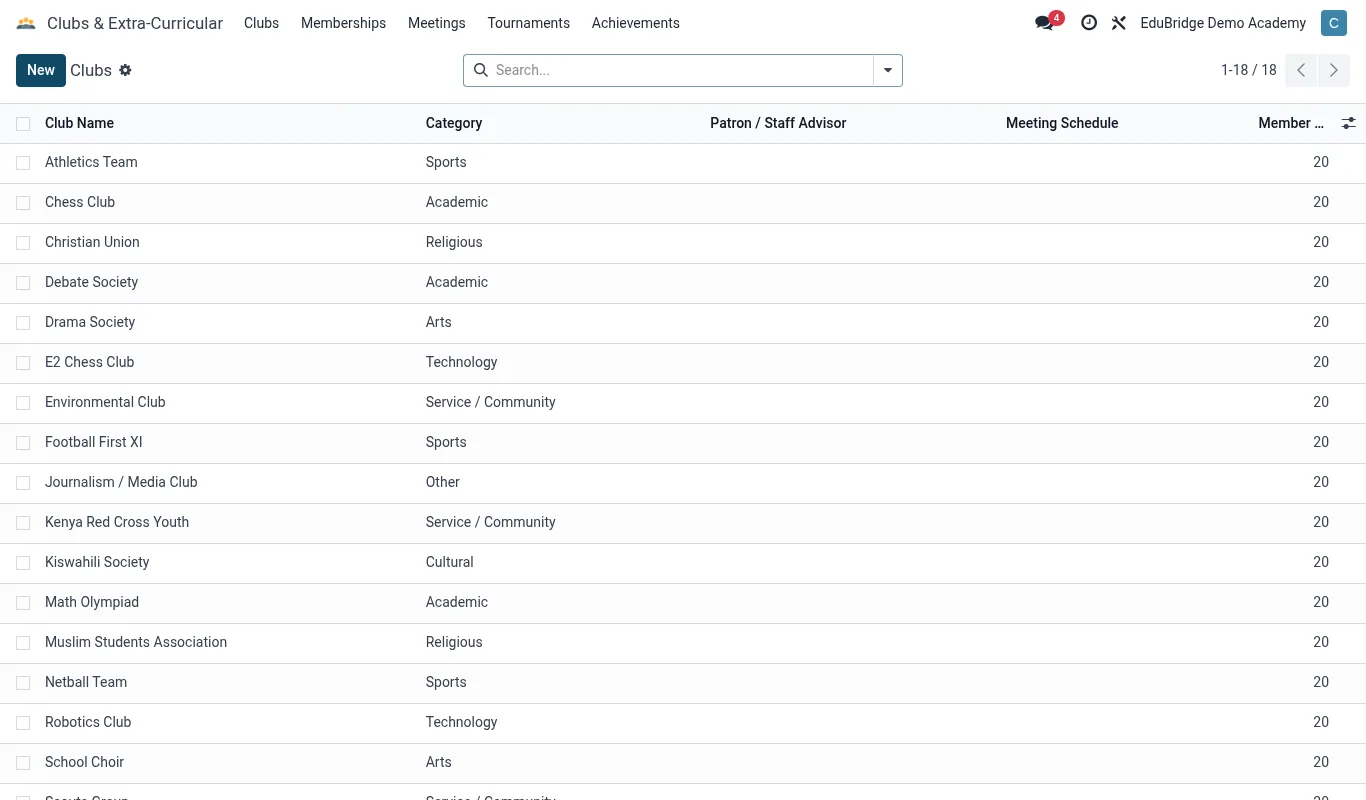
The Clubs app manages co-curricular life: clubs and their memberships, meetings, tournaments and the achievements that appear on a student's profile and report card.
Where to find it — App drawer → Clubs & Extra-Curricular → Clubs.
Setting up clubs & memberships
- Open
Clubs → Clubsand click New. - Name the club, set the category (sport, arts, academic, service), the staff lead and any capacity.
- Add members individually or let students request to join through the portal for the lead to approve.
- Set the regular meeting schedule.
Meetings, tournaments & achievements
The club lead records meetings with attendance, enters tournaments or fixtures with results, and logs achievements – positions, awards, colours.
| Record | Captures | |
|---|---|---|
| Membership | Who belongs, since when | |
| Meeting | Date, attendance, notes | |
| Tournament | Opponent/event, result | |
| Achievement | Award, level, date |
On the profile & report card
A student's club memberships and achievements surface on their profile and flow onto the report card, giving a rounded picture of the whole child alongside academics and behaviour. This is exactly the co-curricular evidence parents and future schools value.
Tip — Record meeting attendance – it feeds the engagement picture and lets you spot a student who joined a club but never attends, or one whose only positive school contact is their club.
Important — Club staff leads see their own club's members and records, not the whole school's. Assign the lead correctly so they can manage their roster without seeing data they don't need.
Related pages
Was this page helpful?