

Defining subjects & curricula
Before any timetable can be built or any mark recorded, EduPrime needs to know which subjects your school teaches and how they map to the curriculum you follow. This page covers creating subjects, attaching them to a curriculum, marking them core or optional, and assembling per-class subject sets.
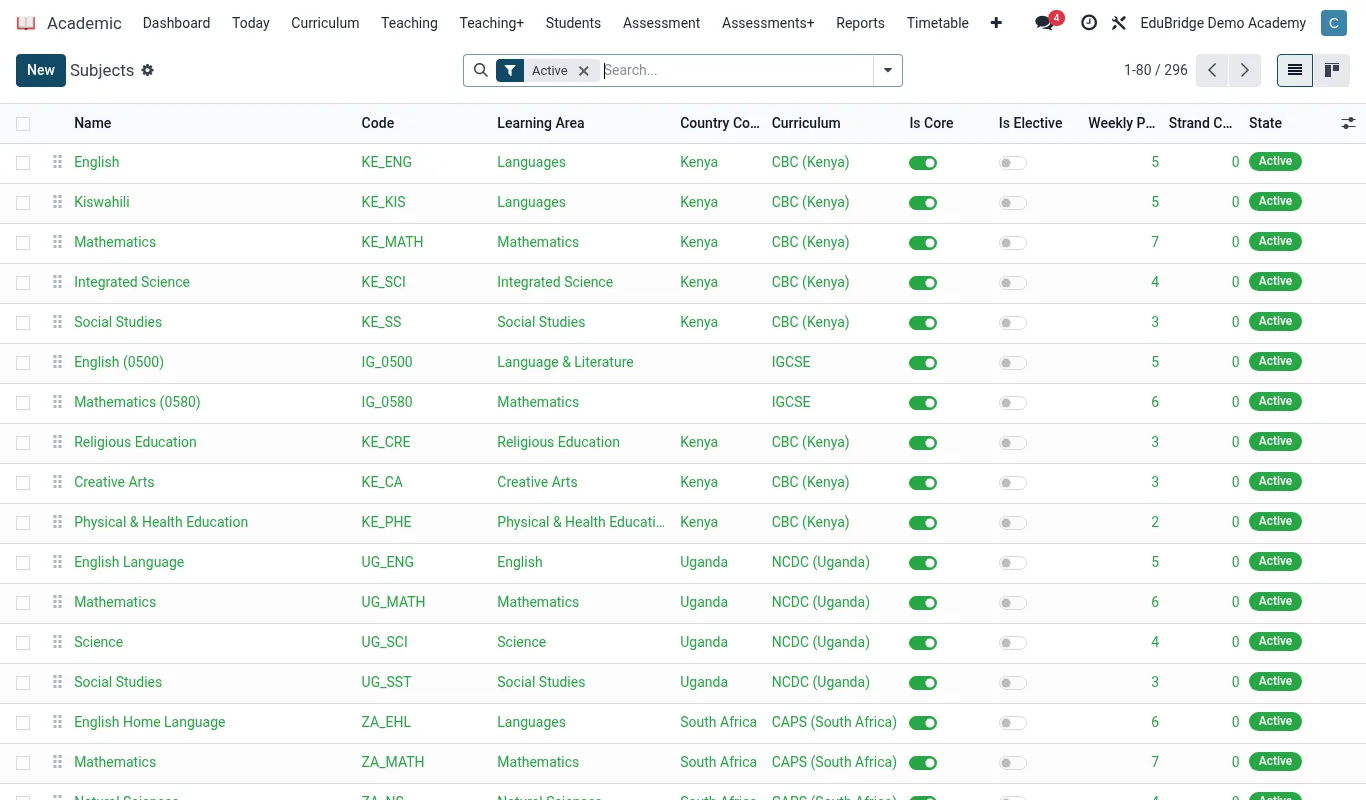
Creating a subject
Open Academic → Configuration → Subjects and click New. Each subject record carries a name, a short code, a department, and the curriculum it belongs to.
- Enter the subject Name (for example
Mathematics) and a Code (MATH) used on compact reports. - Select the Department so staff and head-of-department reporting group correctly.
- Choose the Curriculum the subject belongs to – CBC, Cambridge (IGCSE / A-Level), IB, or a national curriculum you have configured.
- Set Type to Core or Optional. Core subjects are auto-assigned to every learner in a class; optional subjects are chosen per learner.
- Optionally set a default Periods per week – the timetable engine uses this as the target load when auto-placing periods.
Mapping to a curriculum
EduPrime supports several curricula side by side, which matters for schools that run, say, an 8-4-4 stream and a Cambridge stream under one roof. Each curriculum defines its own grade levels and grading scale, so a subject inherits the right boundaries automatically.
| Curriculum | Typical levels | Default scale |
|---|---|---|
| CBC (Kenya) | PP1–PP2, Grade 1–9 | Competency (4 bands) |
| Cambridge | IGCSE, AS, A-Level | Letter (A*–G) |
| IB | PYP, MYP, DP | IB 1–7 |
| National 8-4-4 | Form 1–4 | Letter (A–E) |
Per-class subject sets
A subject set is the bundle of subjects a particular class takes. Core subjects are added automatically; you add optional subjects to the set so they appear on the timetable and gradebook for that class only.
- Open the class under Academic → Classes and go to the Subjects tab.
- Confirm core subjects are listed (they appear automatically from the curriculum).
- Click Add a line to attach optional subjects – for example adding
FrenchandComputer Studiesto a Form 2 class. - For each optional subject, you can later assign individual learners in the gradebook, since not every learner takes every option.
With subjects defined and subject sets assigned to each class, you are ready to build the timetable.