

Report cards
At the end of each term, the report card brings together a learner's grades, class position, teacher comments and attendance into one document – generated in a batch for a whole class, published to the portal, and printed in bulk.
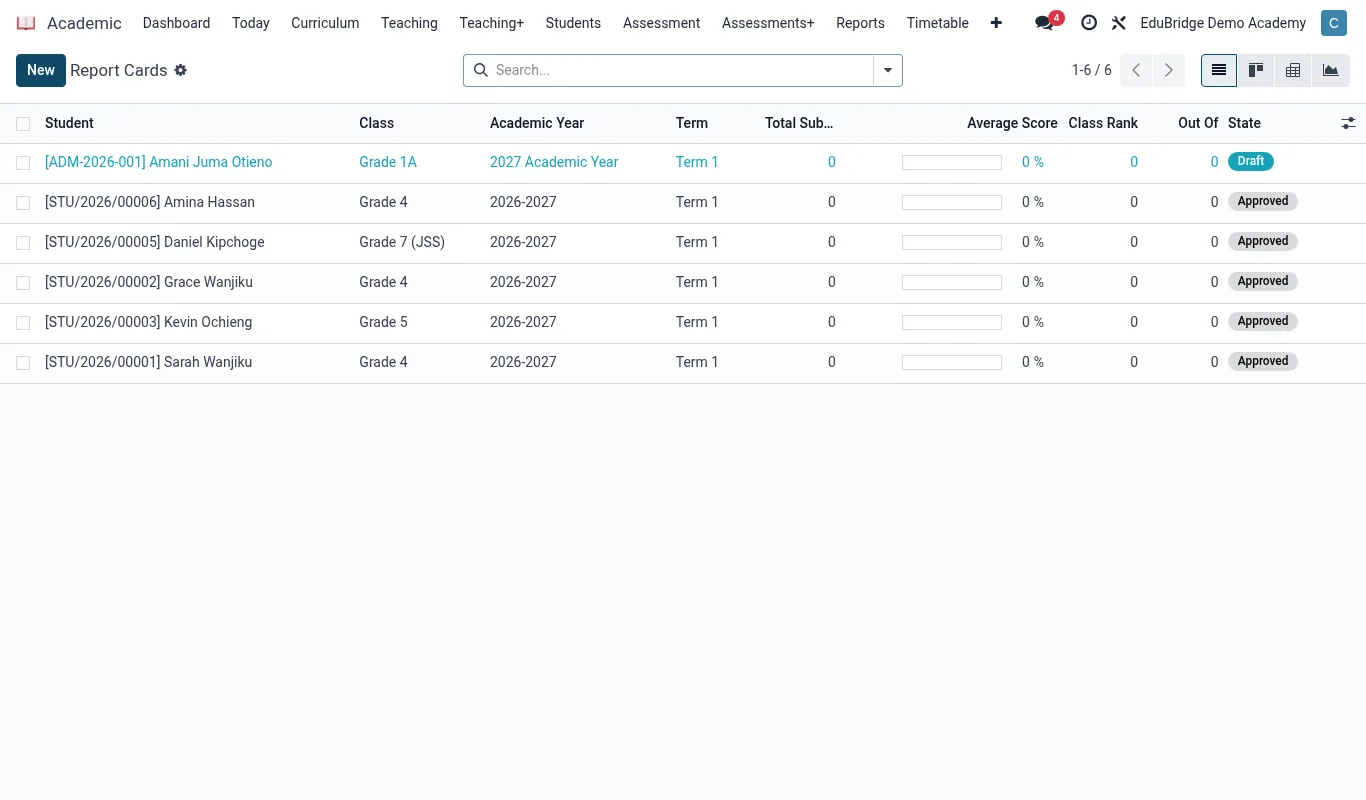
What a report card contains
Each report card is assembled from data already in EduPrime, so generation is mostly automatic. A typical card includes:
- Each subject's term grade with the CA / exam breakdown.
- The learner's position in class and, optionally, in the year group.
- Teacher comments per subject plus an overall class-teacher and head-teacher remark.
- The term attendance percentage pulled from the registers.
- The grading-scale key so parents can read the grades.
Generating for a term
Open Academic → Report Cards, choose the class and term, and click Generate.
- Confirm the gradebook for the class and term is locked.
- Select the term and the class (or several classes for a whole year group).
- Click Generate; EduPrime computes positions, pulls attendance, and creates a draft card per learner.
- Teachers and the class teacher add comments on the draft cards.
- The academic head reviews and clicks Approve.
Comments and positions
Positions are ranked on the aggregate the curriculum uses – mean grade, total points, or percentage. Ties share a position. Comments can be free text or chosen from a configurable comment bank so teachers can insert a consistent, professional remark quickly and still personalise it.
Publishing and batch printing
Once approved, you have two delivery options, and you can use both:
- Publish to portal – each card appears in the parent and student portal as a PDF; families are notified.
- Batch print – select the class and click Print to produce one combined PDF of every card for the office to print and hand out.
Approved cards are archived against the learner's record and become a term in their transcript, so nothing has to be re-entered for the cumulative academic history.