

Grading scales & competency
A raw percentage means little until it is mapped to the grading scale your curriculum uses. EduPrime supports letter grades, raw percentages, competency bands and the IB 1–7 scale, each configured per programme with its own boundaries.
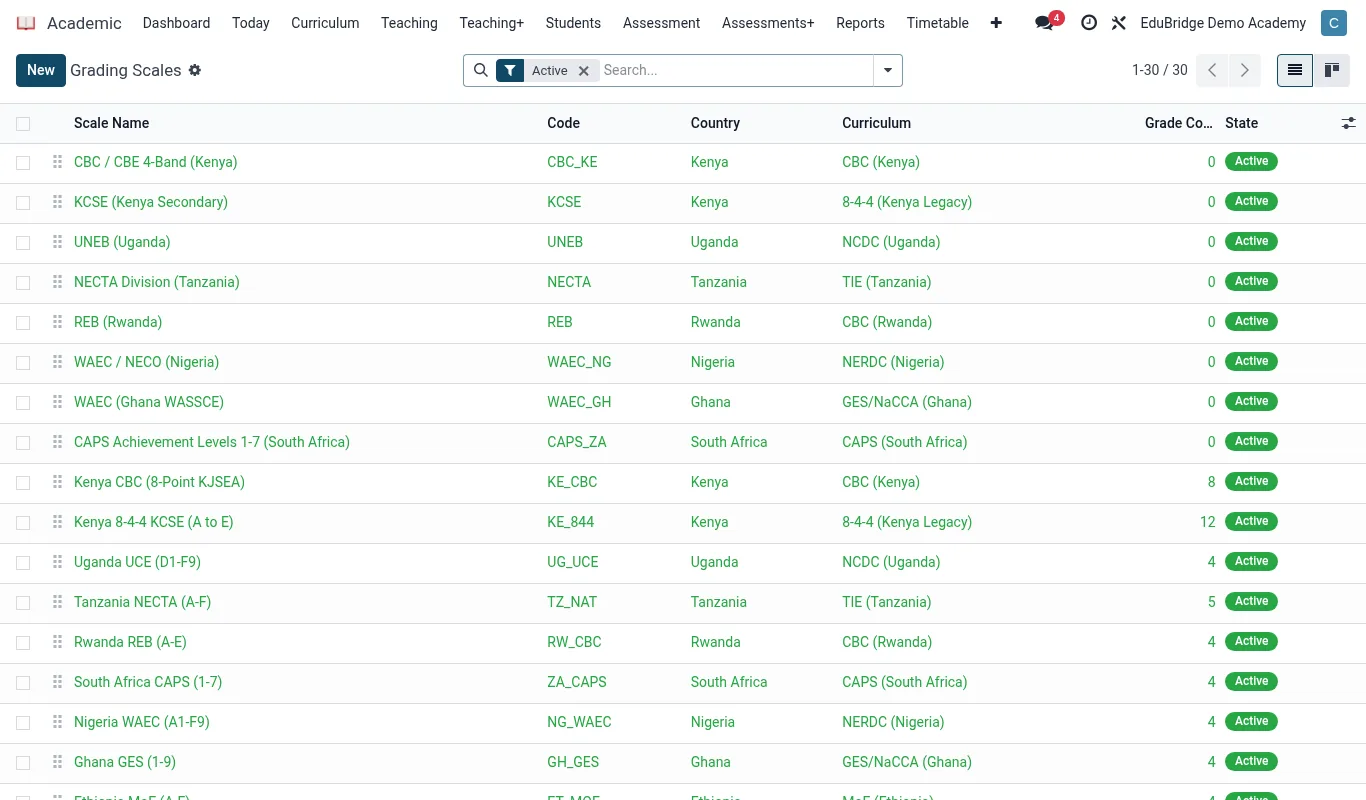
The four scale types
You choose a scale type per programme or curriculum, and every subject in that programme inherits it. The gradebook then converts each weighted total into the right grade automatically.
| Scale | Output | Typical use |
|---|---|---|
| Percentage | 0–100% | Internal continuous tracking |
| Letter | A, B, C… (or A*–G) | 8-4-4, Cambridge IGCSE / A-Level |
| Competency | Bands (Below / Approaching / Meeting / Exceeding) | CBC and skills-based programmes |
| IB 1–7 | 1 (lowest) – 7 (highest) | IB MYP and Diploma Programme |
Configuring grade boundaries
Open Academic → Configuration → Grading Scales, choose the scale and define its bands.
- Create a scale and pick its type (letter, percentage, competency or IB).
- Add a row for each grade with its lower and upper percentage boundary, its label, and any points value used for GPA or aggregate calculation.
- Add an optional descriptor – the sentence that prints under the grade on a report card (for example “Meeting expectations”).
- Attach the scale to a programme so all its subjects inherit it.
Competency reporting
Competency scales report against learning outcomes rather than a single number. Instead of 72%, a CBC learner is recorded as Meeting Expectations on each strand. You can record a band per strand and let EduPrime roll them up to a subject-level band.
Points and aggregates
For letter and IB scales, the points value on each grade drives downstream aggregates: mean grade per learner, class position, and the cumulative GPA on the transcript. IB 1–7 grades are themselves the points, so a Diploma total out of 45 is summed directly.