

Loans and guarantees online
A member applies for a loan on the portal in five steps, names the guarantors by member number and attaches the papers. Guarantors answer on their own portal. The application reaches the loans desk already submitted.
Who: A member with portal access; then the Loan Officer.
The member applies
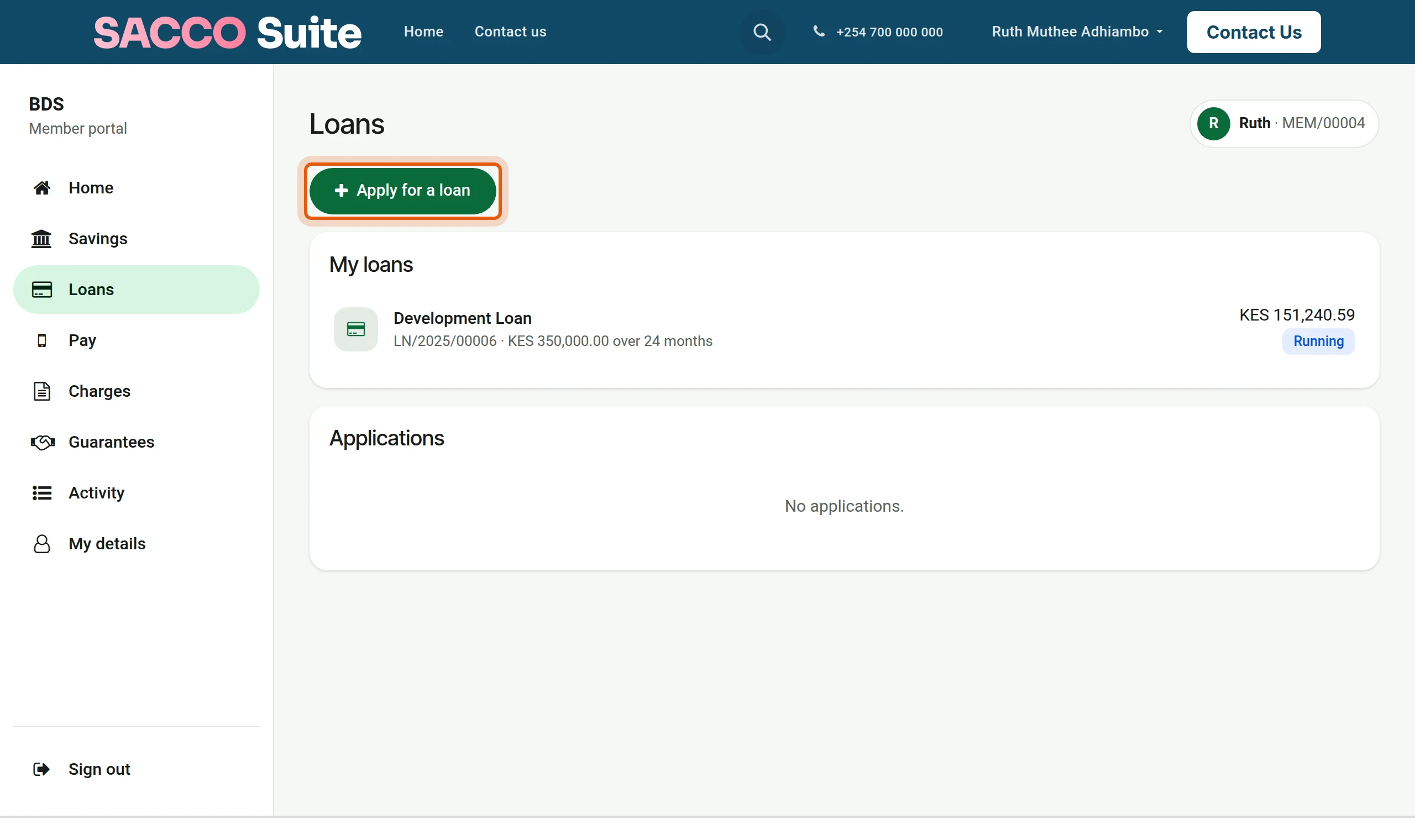
1Start
On Loans the member presses Apply for a loan.
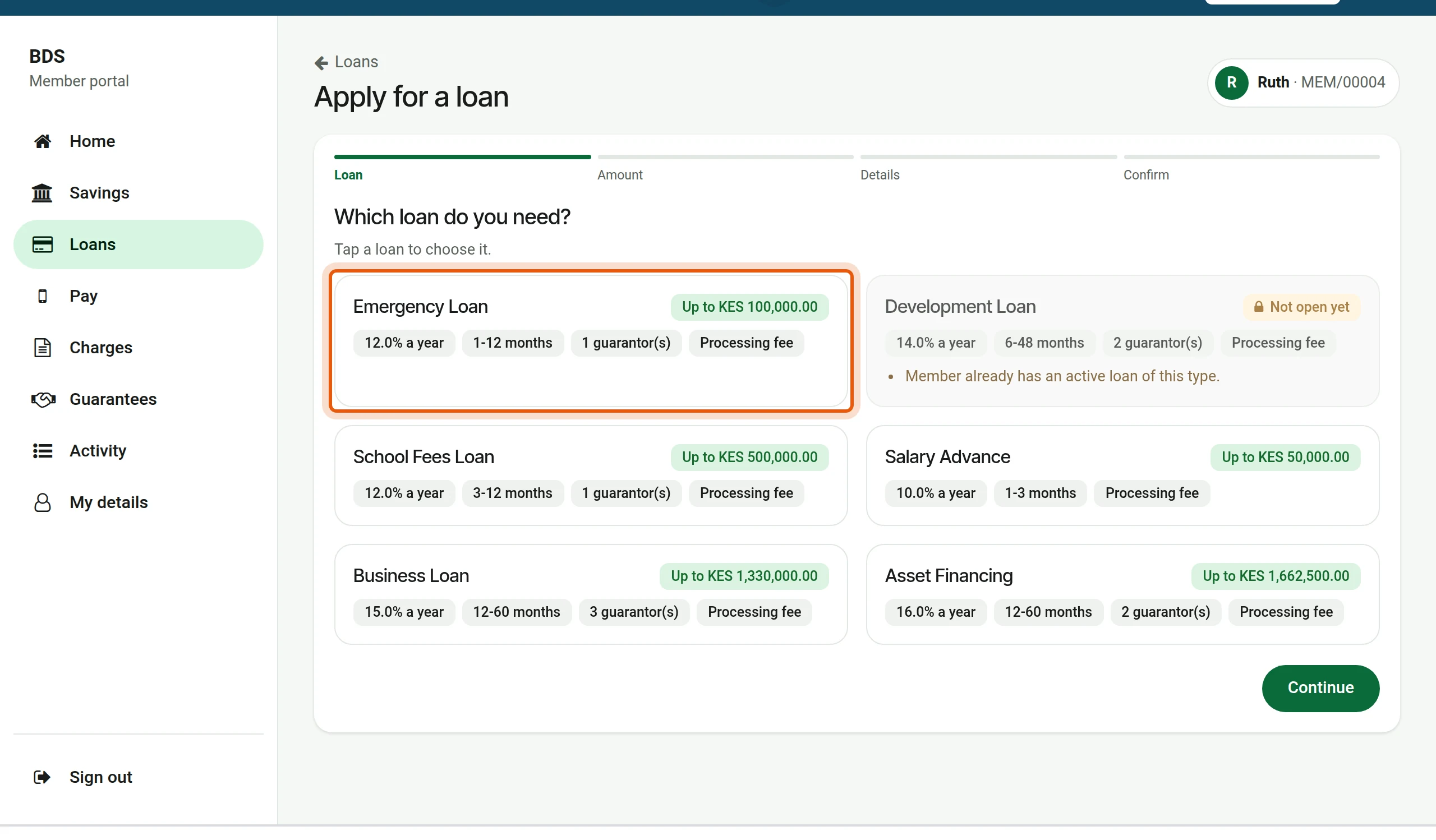
2Choose the loan
Each loan product shows its rate, period, guarantors and the most this member can borrow. A product the member does not qualify for is greyed, with the reason. The member taps one.
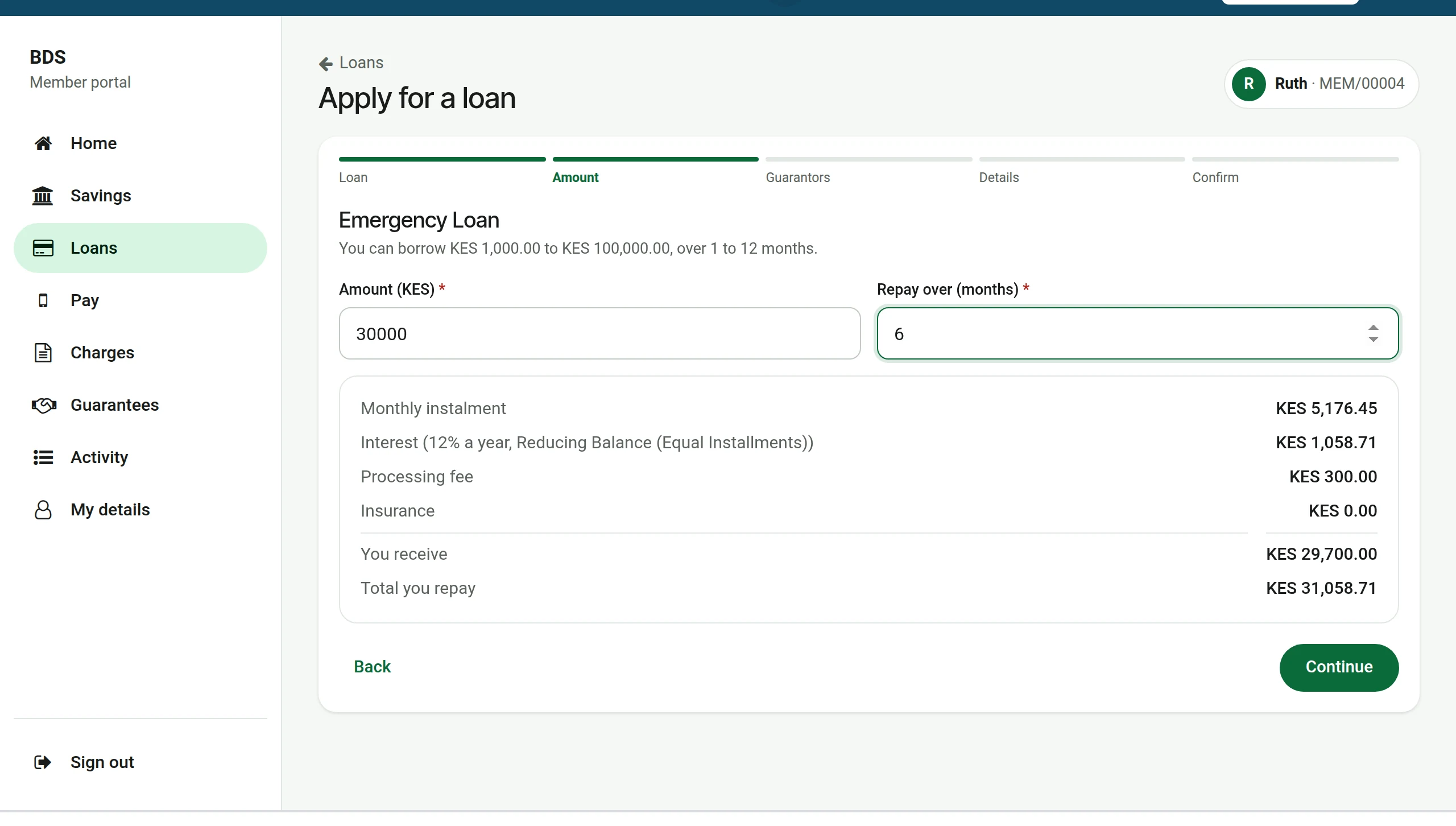
3Amount and period
The form moves on to the amount. The member types the amount and the months; the instalment, the fees and the total to repay are worked out at once.
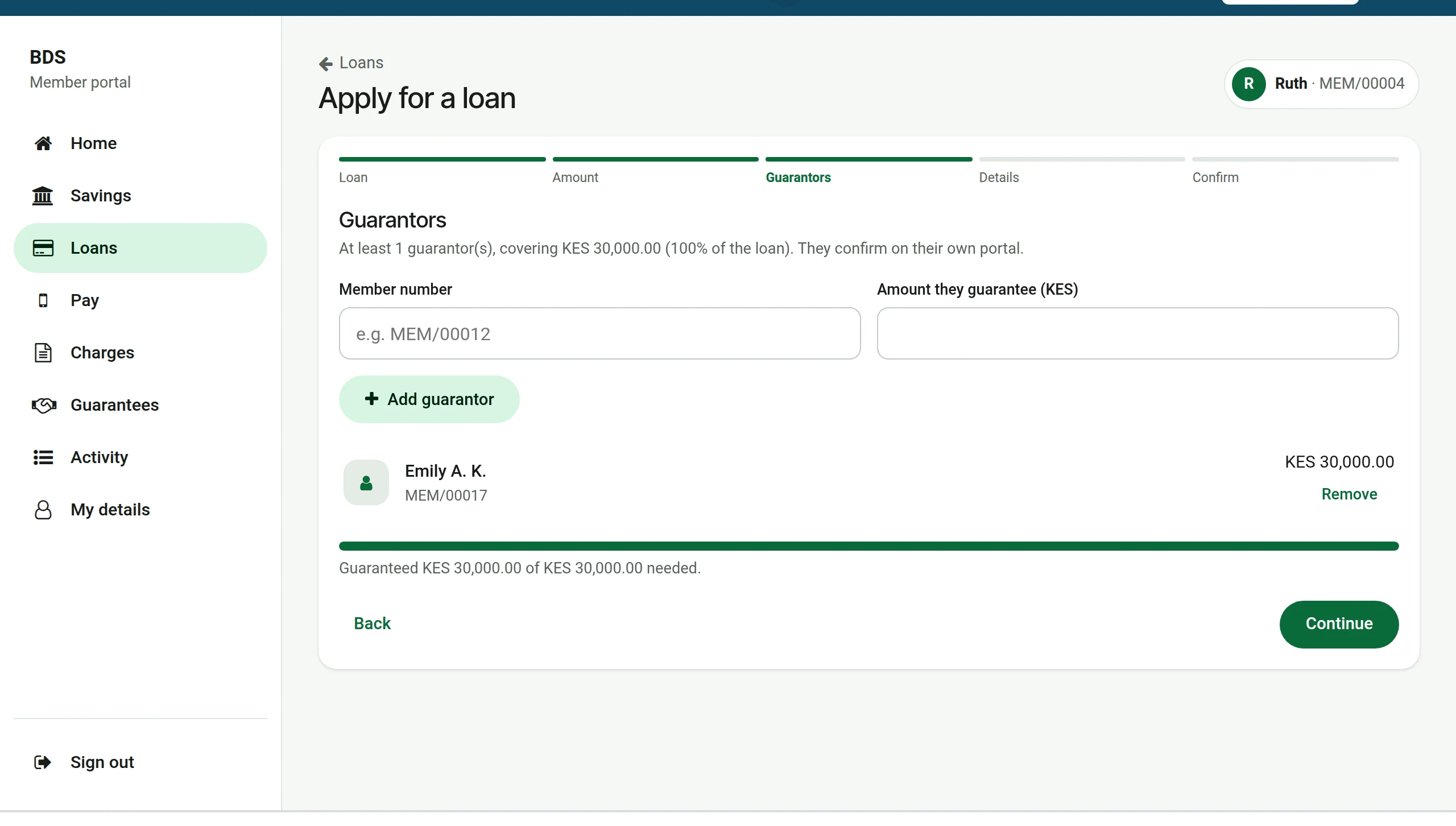
4Guarantors
For a loan that needs guarantors the member types each guarantor’s member number and the amount they will guarantee, and presses Add guarantor. The bar shows how much of the required cover is reached.
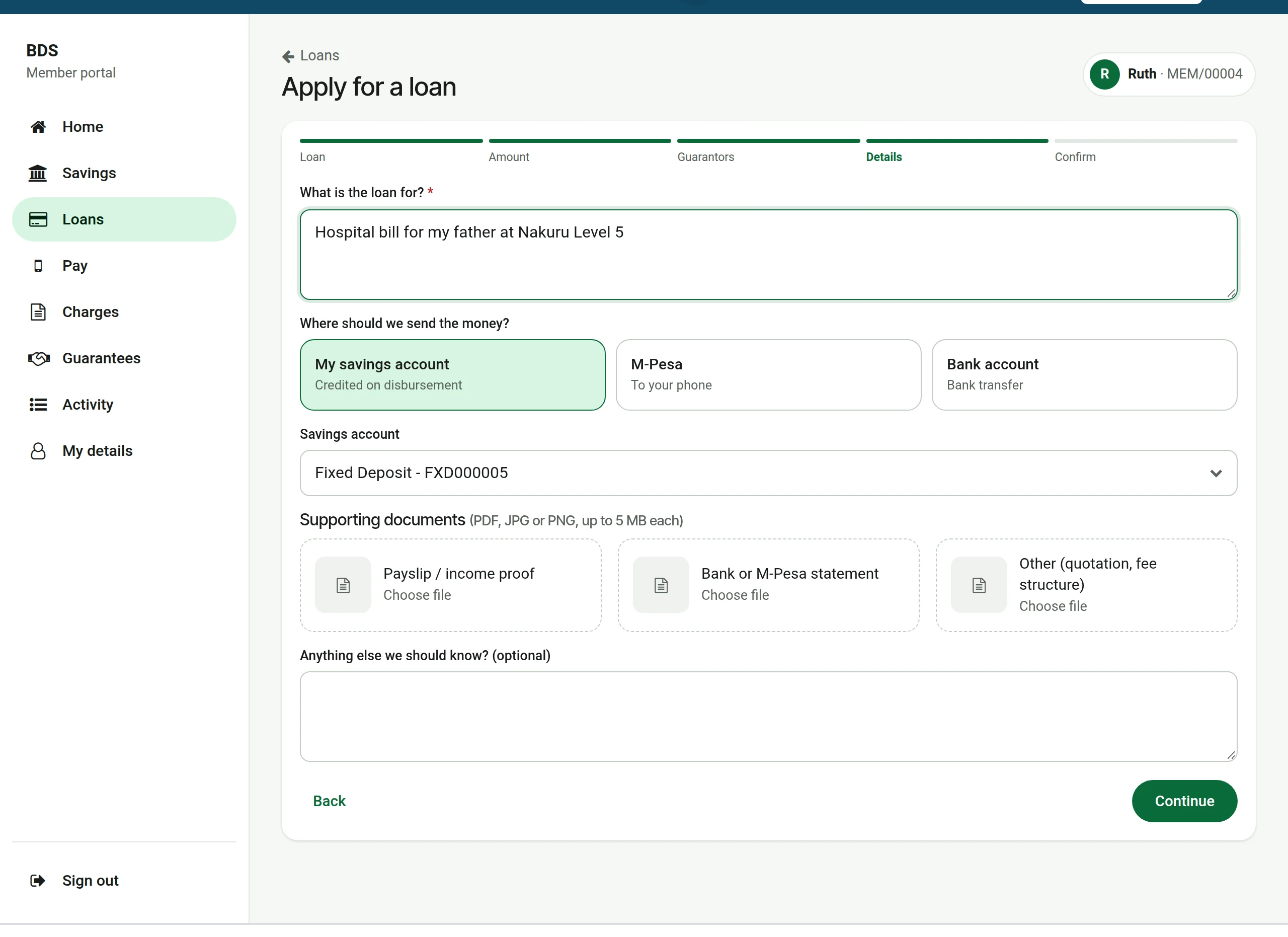
5Purpose, payout and papers
What the loan is for, where the money should go (savings account, M-Pesa or bank) and the supporting documents.
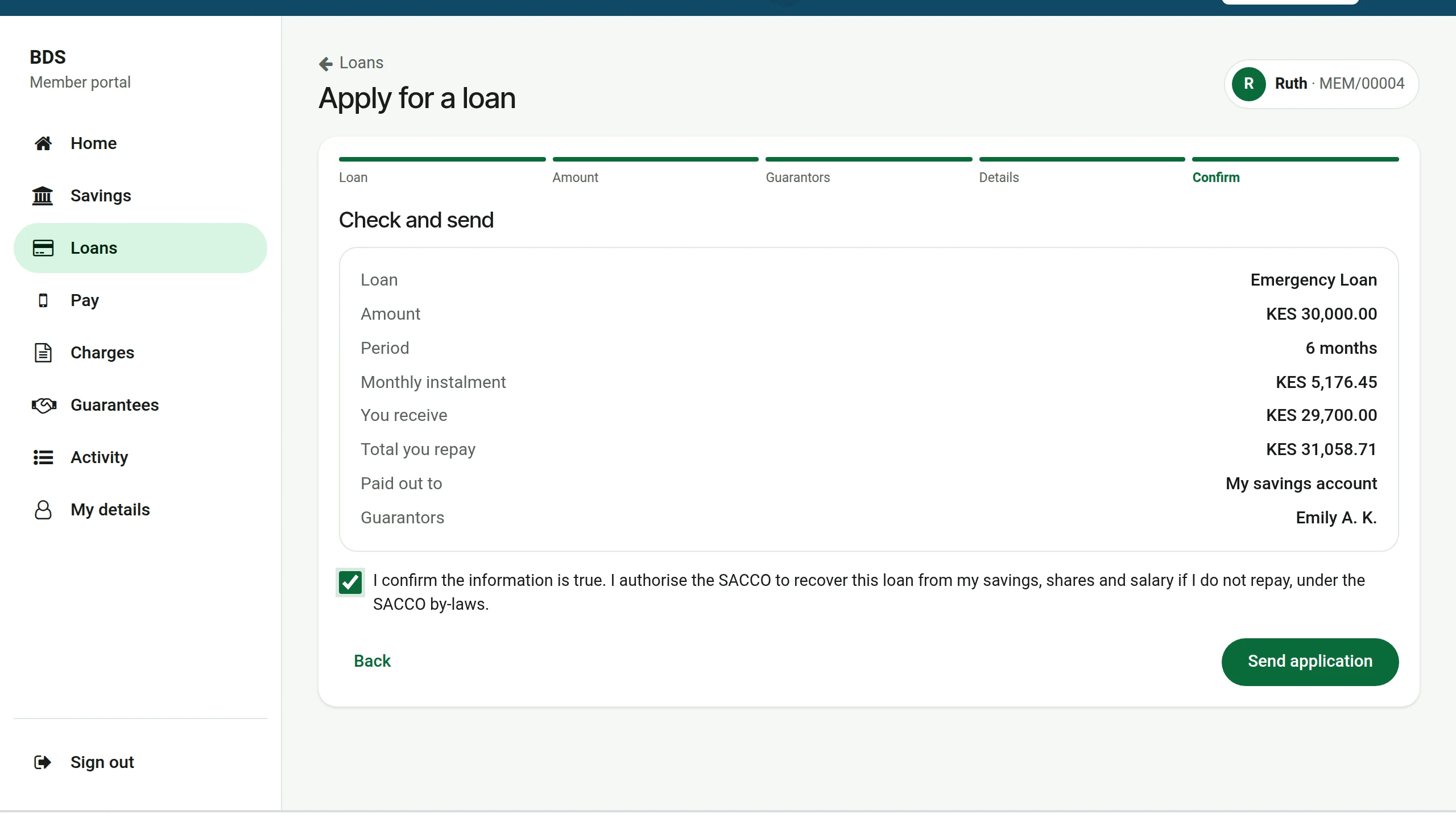
6Check and send
The member checks the summary, ticks the declaration and sends.
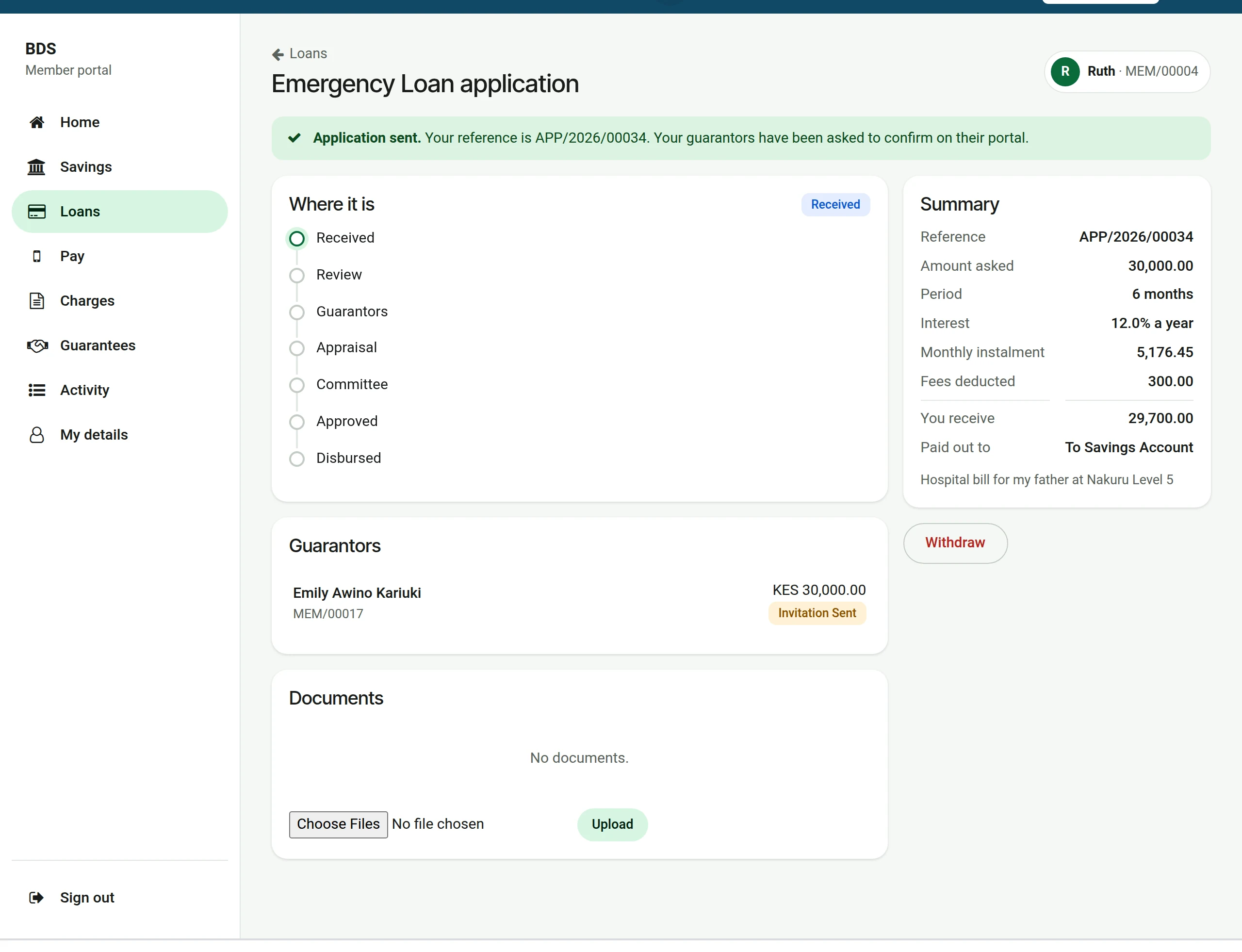
7Follow it
The application page shows where it is, who the guarantors are and what they answered. The member can add documents here until a decision is made.
At the loans desk
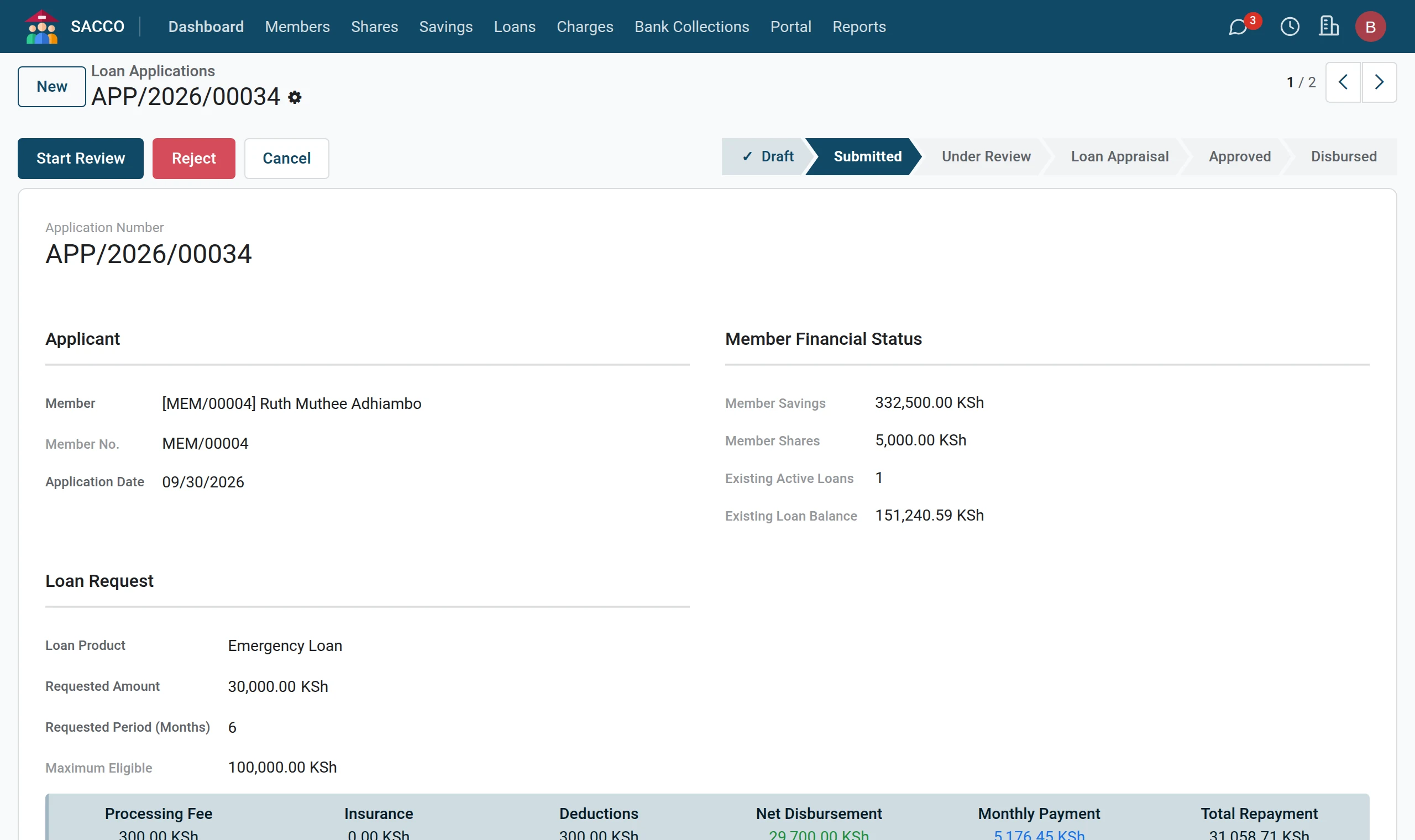
1The application is in the list
The application is in , already Submitted, with the guarantors invited and the documents attached. From here it follows the usual path: review, appraisal and committee.
A guarantor answers
1The request
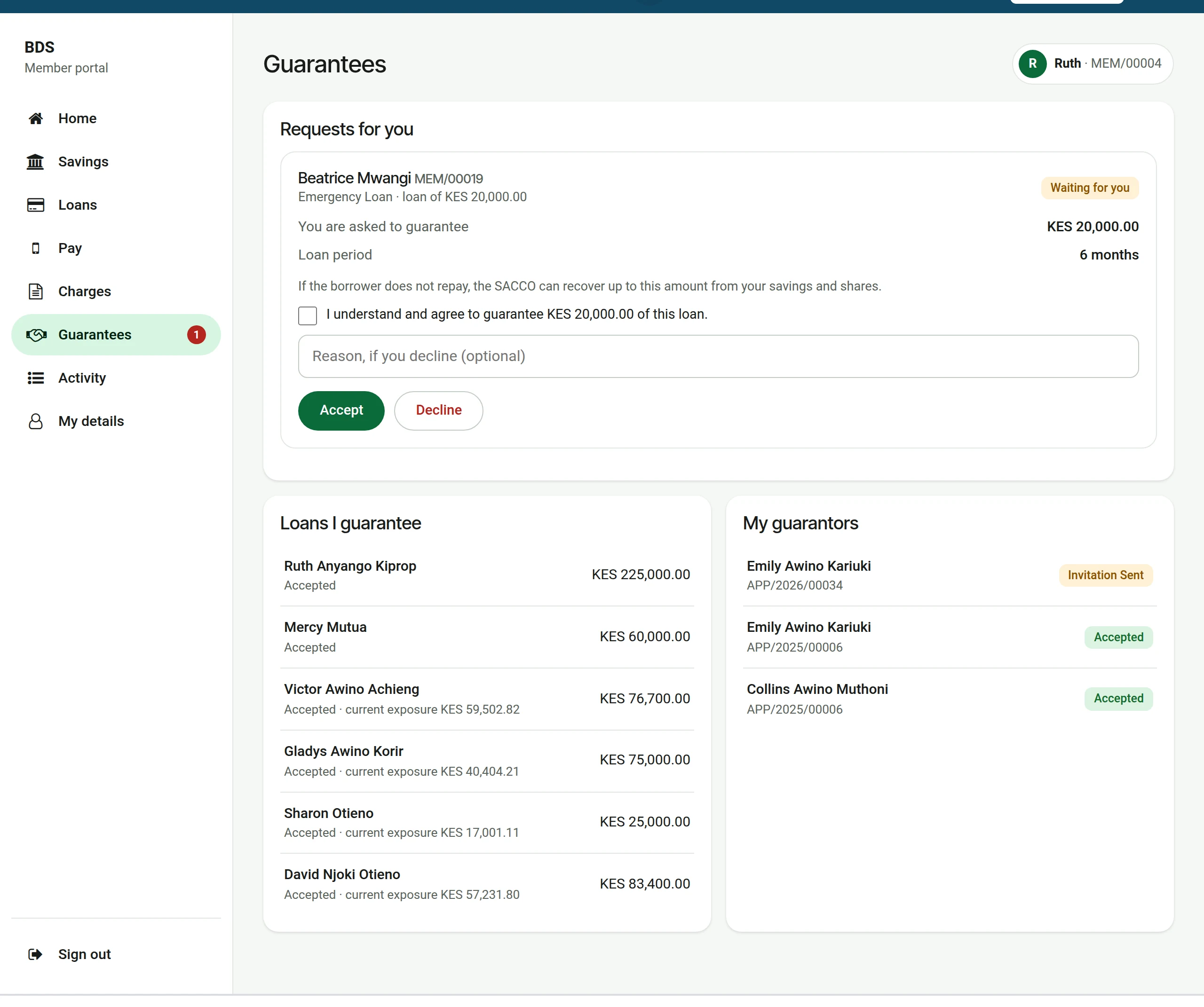
When another member names this member as guarantor, the request shows under Requests for you on Guarantees: who is borrowing, which loan, and how much this member is asked to guarantee.
2Accept or decline
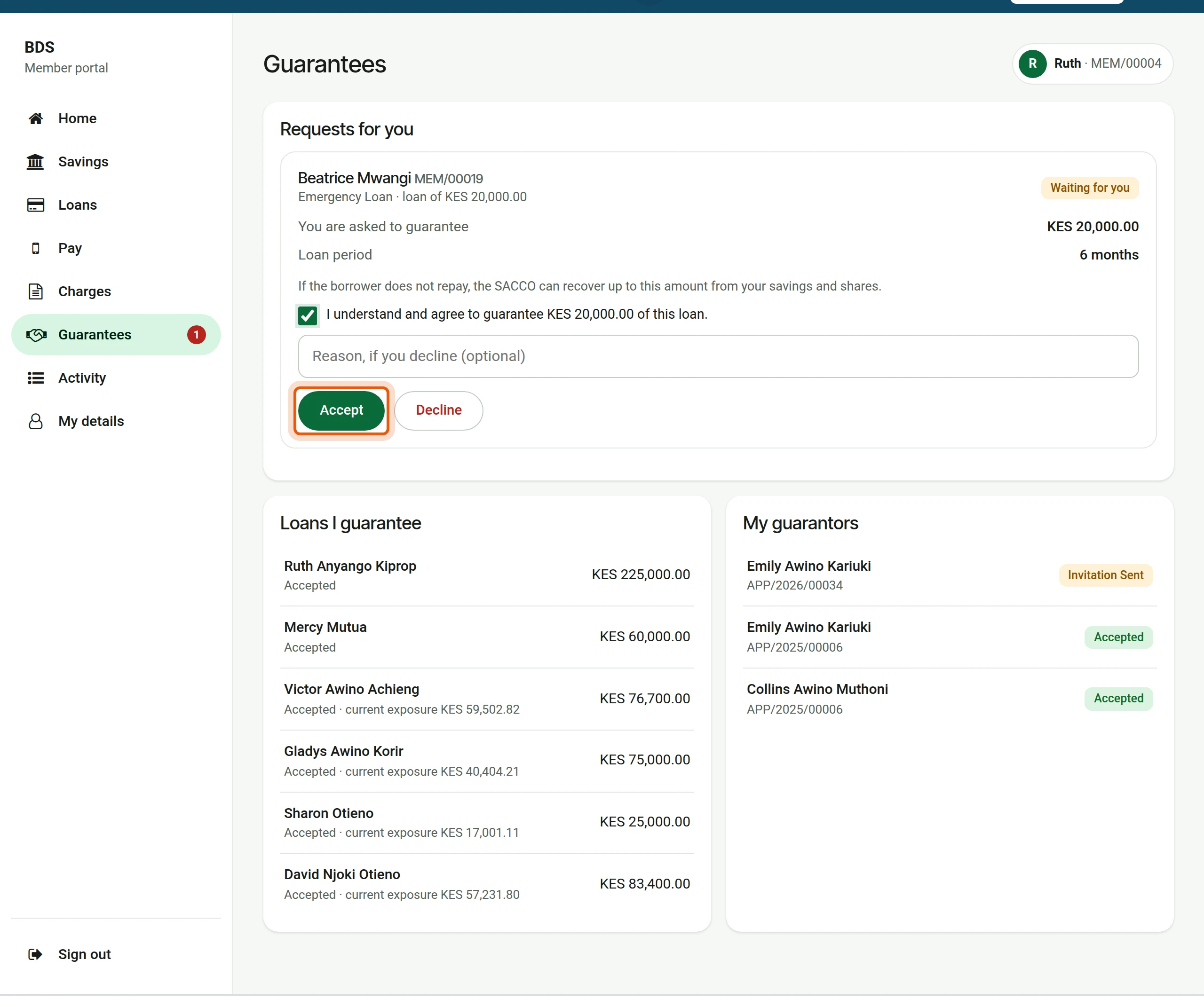
To accept, the member ticks the box and presses Accept. To refuse, the member presses Decline, with a reason if they wish.
3Recorded
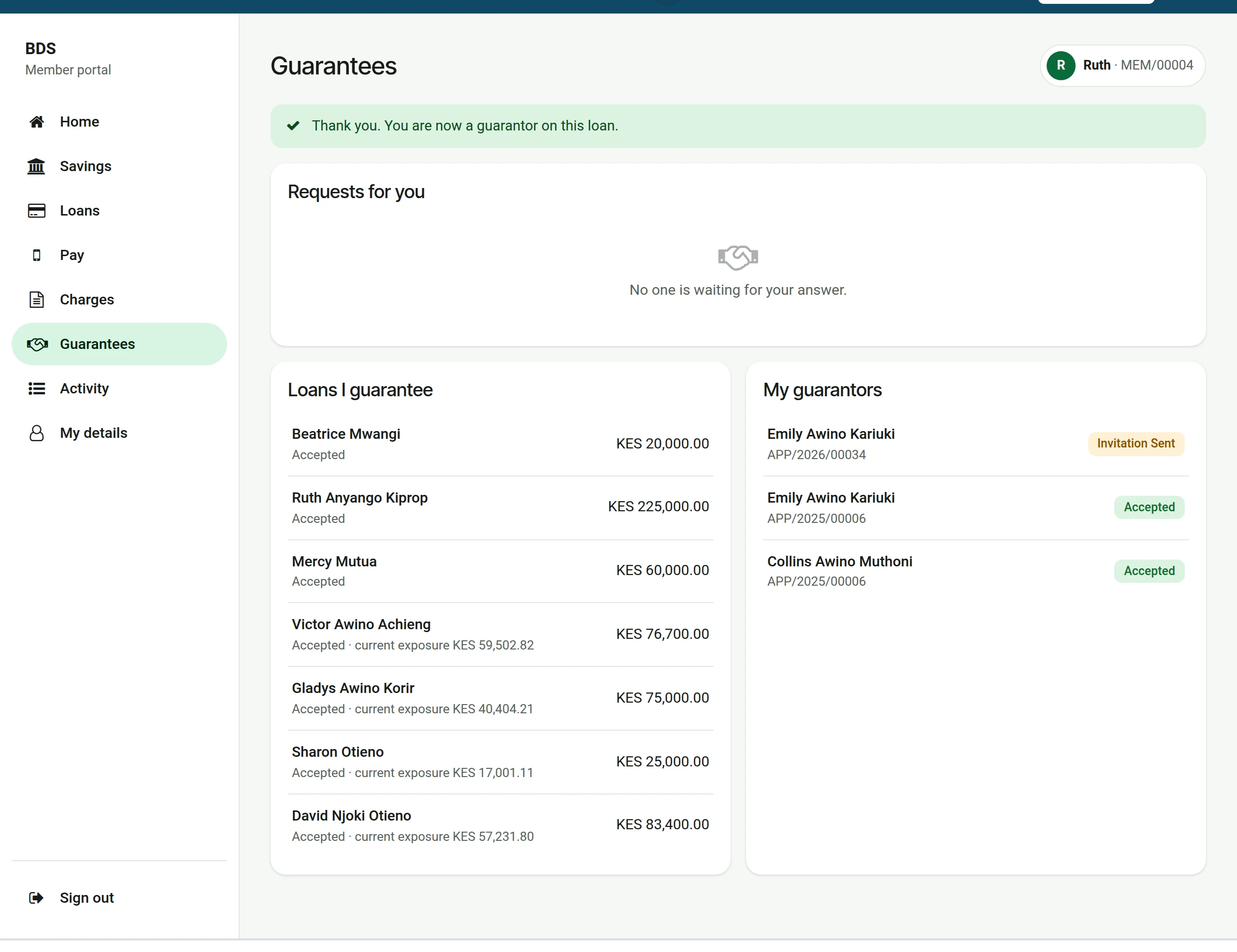
The answer is recorded on the application at once, and the loan now shows under Loans I guarantee.
Staff see the answer on the Guarantors tab of the application and under . A guarantor who does not use the portal signs at the office and staff record the answer: see guarantors.
What the member may be told
| Message | What it means |
|---|---|
| Not open yet, with a reason under the product | The member does not meet a rule of that product yet (membership period, savings, a running loan of the same type). |
| This loan needs at least … guarantor(s). | Add more guarantors. |
| Guarantees add up to … but must cover at least … | Raise the amounts or add a guarantor. |
| Each guarantor can only be listed once. | The same member number was added twice. |
| Tell us what the loan is for. | The purpose is too short. |
| Please confirm the declaration before submitting. | Tick the box on the last step. |