

Offers, acceptance & waitlist
After assessment, the school decides: make an offer, hold the applicant on a waitlist, or decline. EduPrime issues offer letters, tracks acceptances and manages the waitlist so you fill every place without over-committing.
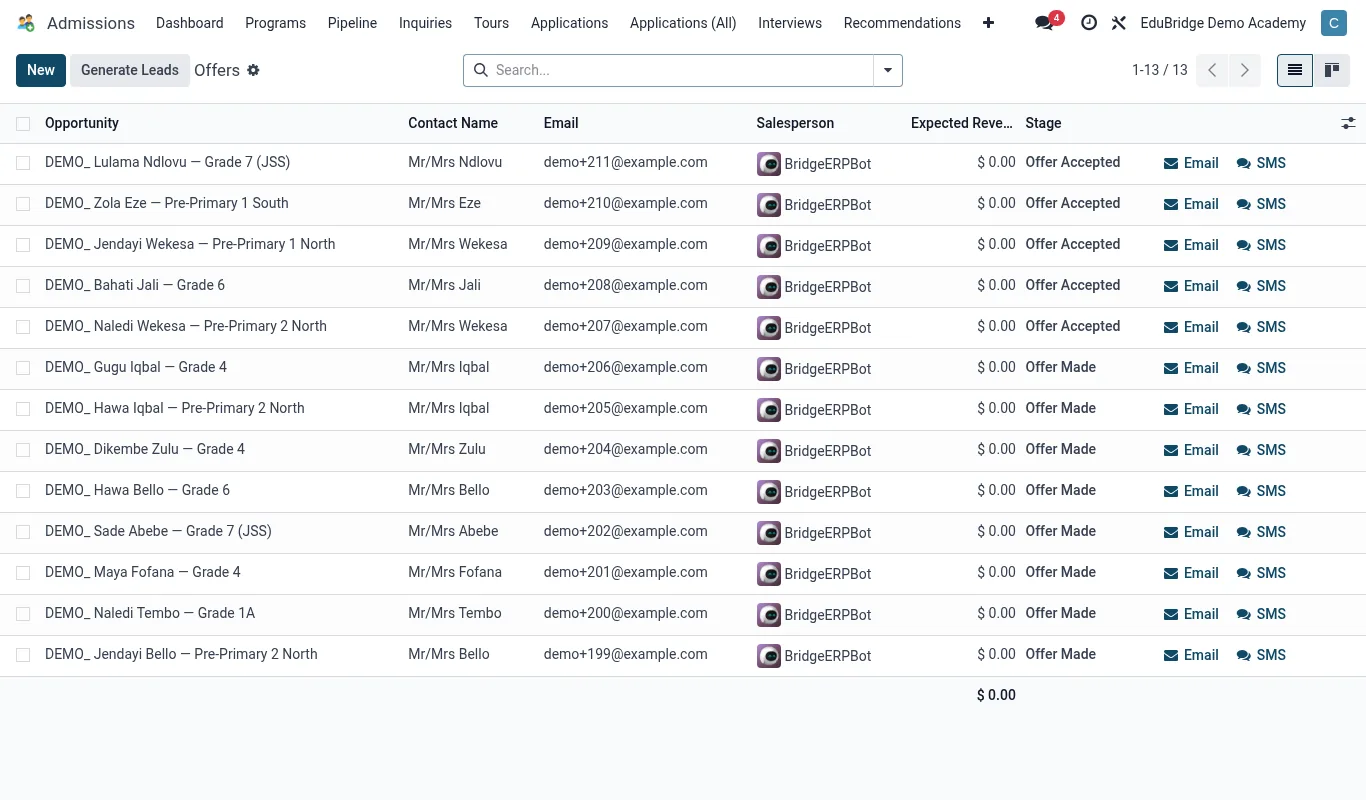
Making an offer
- Open the application (it should carry an Admit recommendation) and advance it to the Offer stage.
- Confirm the offered class/stream and the intake term.
- Generate the offer letter – EduPrime fills in the student's details, the class, any conditions (e.g. documents still due) and the acceptance deadline.
- Send it to the family by email, or download and print it.
Acceptance & decline
When the family accepts, move the card to Accepted. This signals the place is taken and the applicant is ready for enrolment. If the family declines – or the deadline passes – mark the offer declined/lapsed with a reason; the place frees up for the waitlist.
Managing the waitlist
When a class is full but an applicant is strong, place them on the waitlist rather than declining. The waitlist is an ordered holding list per class:
| Action | Effect |
|---|---|
| Add to waitlist | Holds the applicant in priority order for a class. |
| A place frees up | Promote the top waitlisted applicant to Offer. |
| Waitlist expires | Notify the family the intake is closed; archive the record. |
When an accepted applicant declines or an enrolled student withdraws before term, return to the waitlist and make an offer to the next family in line – the pipeline keeps the order so you are fair and fast.