

Capturing inquiries
Every enrolment starts as an inquiry – a phone call, a walk-in parent, a referral or a web form. Capturing inquiries consistently is what lets the admissions team follow up reliably and measure which channels actually bring students.
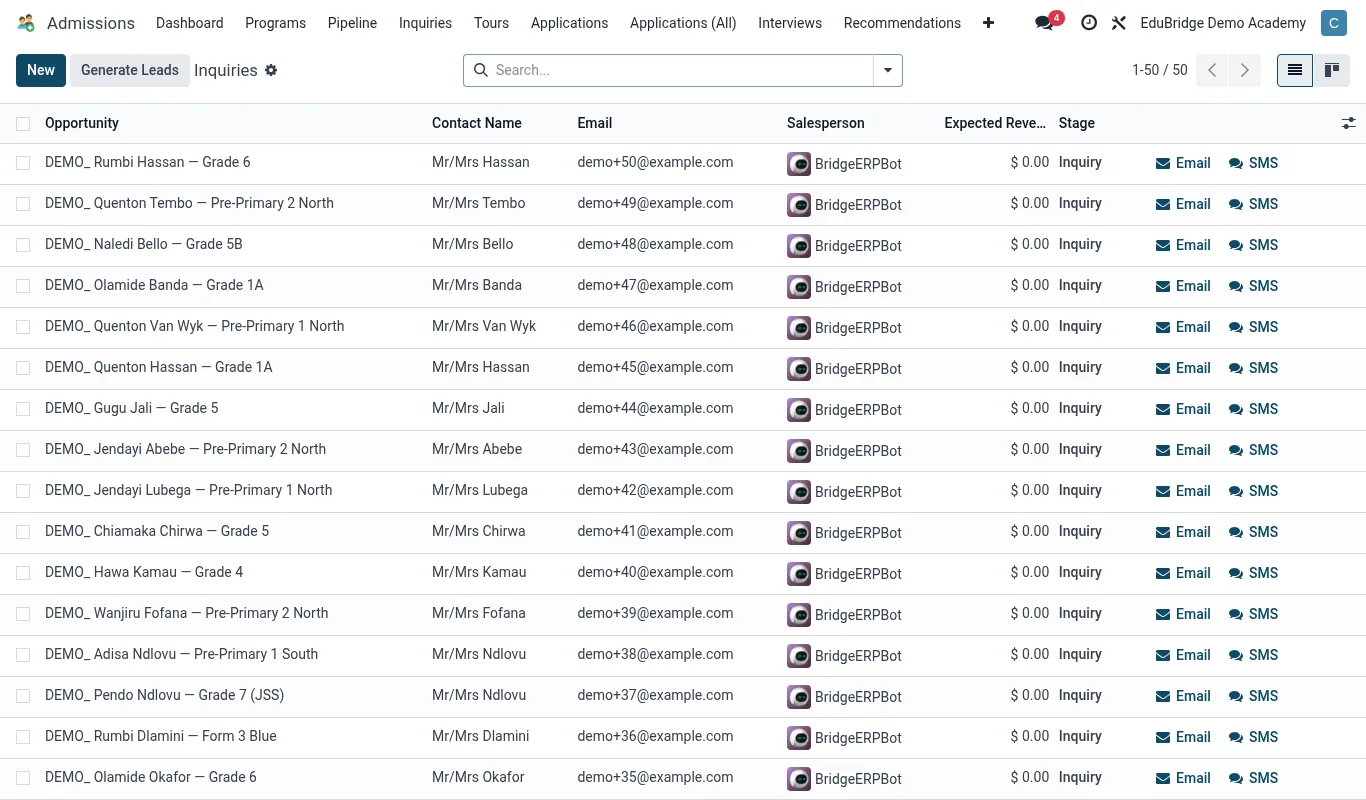
Recording an inquiry
- Go to EduPrime → Admissions and click New (or add a card to the Inquiry column).
- Enter the prospective student's name and intended class/year of entry.
- Enter the parent/guardian name, phone and email – the people you will follow up with.
- Set the source (see below) so you can later measure channel effectiveness.
- Add any notes from the conversation – what they asked, what concerns they raised.
- Save. The inquiry now sits in the Inquiry stage of the pipeline.
Sources
The source field tells you where inquiries come from. Typical values:
| Source | Example |
|---|---|
| Website | The public /apply form or a contact form. |
| Referral | An existing parent or staff member referred them. |
| Walk-in | Visited the school directly. |
| Phone | Called the admissions line. |
| Event / Open day | Met you at an open day or fair. |
| Social media | Found you on social channels. |
Follow-up tasks
An inquiry without a follow-up dies. On the inquiry record, schedule a follow-up activity – a call-back, an email, an invitation to visit – with an owner and a due date. EduPrime surfaces overdue follow-ups so nothing is forgotten, and every contact is logged in the record's history for the next person who picks it up.
Converting to an application
When an inquiry decides to apply, advance the card to the Application stage (drag it, or use Convert to application on the record). The captured contact details carry over, so the family does not re-enter what they already gave you.