

Discipline – logging incidents
The Discipline app records behaviour incidents by category, the actions taken and their severity, building a full, authorised behaviour history for each student.
Where to find it — App drawer → Discipline → Incidents.
Recording an incident
Any authorised member of staff can log an incident; the dean of discipline manages the full record.
- Open
Discipline → Incidentsand click New. - Select the Student (or several, for a group incident) and the Date/time and Location.
- Choose a Category – lateness, uniform, disruption, bullying, dishonesty, damage, violence.
- Set the Severity – minor, moderate, serious, critical.
- Write a factual Description and name the Reporting staff and any witnesses.
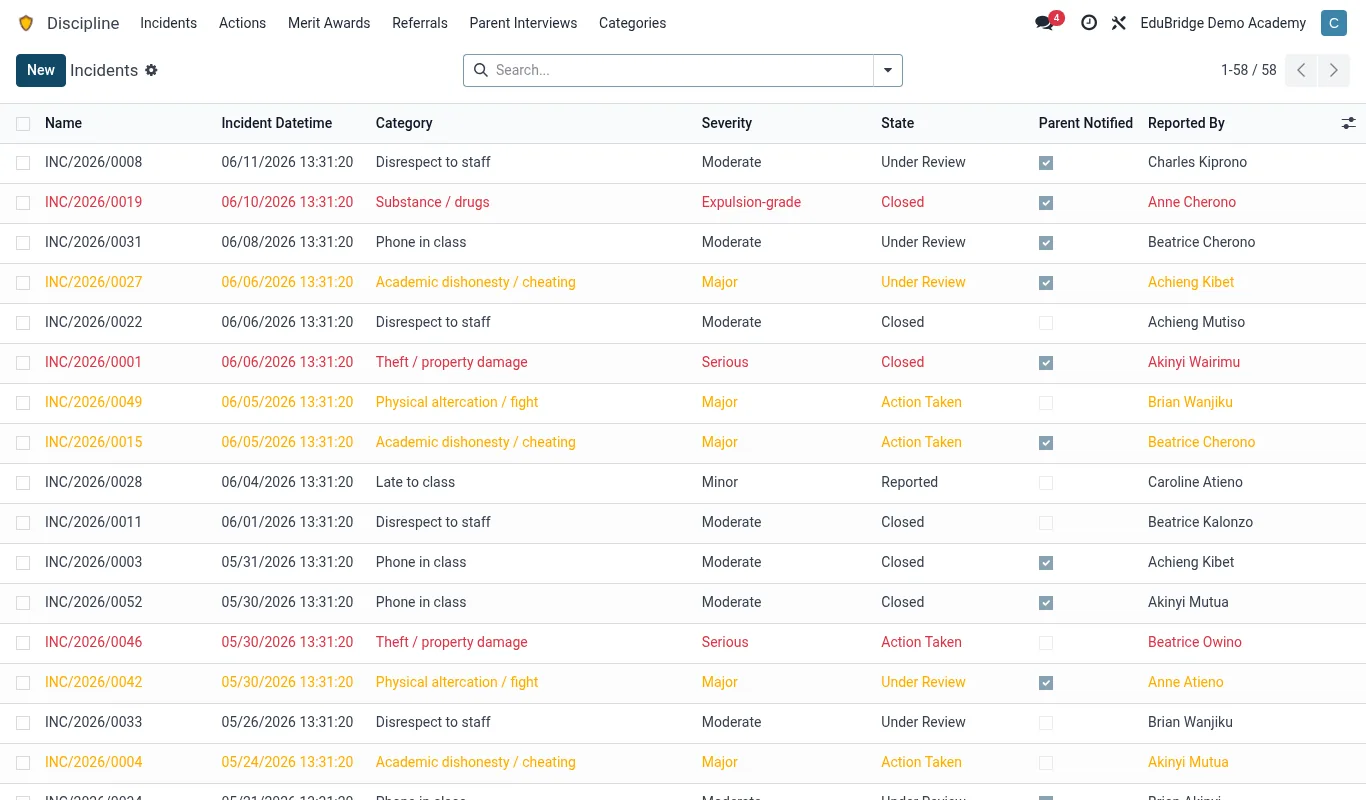
Categories & severity
Categories and severity drive everything downstream: which actions are appropriate, when a parent must be told, and when the case escalates. Configure them once in Discipline → Configuration to match your behaviour policy.
| Severity | Typical action | Parent notified? |
|---|---|---|
| Minor | Verbal warning, demerit | Optional |
| Moderate | Detention, restitution | Yes |
| Serious | Suspension review, parent interview | Yes – mandatory |
| Critical | Exclusion review, safeguarding referral | Yes + escalation |
Recording actions taken
An incident is incomplete until an action is recorded. From the incident, add one or more actions: the sanction, its duration, who is responsible and whether it is completed. The action closes the loop and feeds the student's behaviour history and report card.
Important — Log incidents promptly and factually. The discipline record can be challenged by parents and reviewed in an exclusion hearing. Speculation, labelling or emotive language weakens the school's position.
Tip — Use the bulk-log feature for whole-class events (e.g. a noisy assembly) but keep serious incidents as individual records so each student's history is accurate.
Related pages
Was this page helpful?