

What posts, and how
Each confirmed transaction makes one posted journal entry in the matching SACCO journal.
Who: SACCO GL Accountant.
The entries
| When | Debit | Credit | Journal |
|---|---|---|---|
| A savings deposit is confirmed | Cash, bank or M-Pesa | Member savings (liability) | SACCO Savings |
| A savings withdrawal is confirmed | Member savings | Cash, bank or M-Pesa | SACCO Savings |
| Interest is credited to an account | Interest expense (gross) | Member savings (net) and withholding tax payable | SACCO Savings |
| A fee is taken from an account (withdrawal fee) | Member savings | Fee income | SACCO Savings |
| A transfer between two accounts | Savings of the first product | Savings of the second product | SACCO Savings |
| Shares are bought | Cash, bank or M-Pesa | Share capital | SACCO Shares |
| Shares are sold back | Share capital | Cash, bank or M-Pesa | SACCO Shares |
| A loan is disbursed | Loans to members (the principal) | Cash, bank, M-Pesa or member savings (the net amount), and fee income (fees deducted) | SACCO Loans |
| A loan repayment is confirmed | Cash, bank, M-Pesa or member savings | Loans to members (principal), interest income, penalty income | SACCO Loans |
| A charge is paid | Cash, bank, M-Pesa or member savings | The income account of the charge | The journal of the charge |
Share transfers between members and bonus shares do not post: they move capital between members inside the same account.
Read an entry
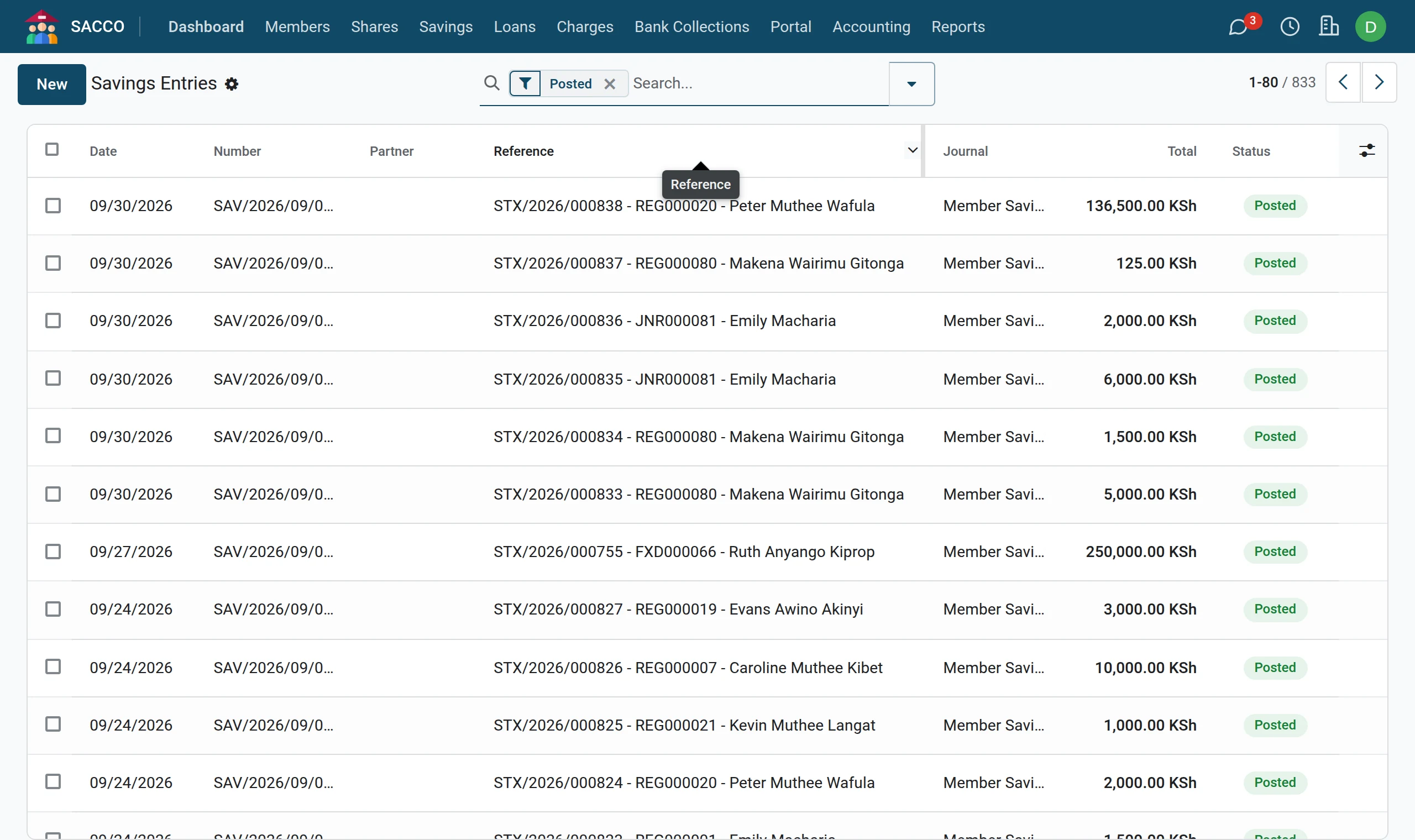
1Open the savings entries
Open . The list opens on posted entries, newest first. The reference carries the transaction number, the account number and the member.
2Open one
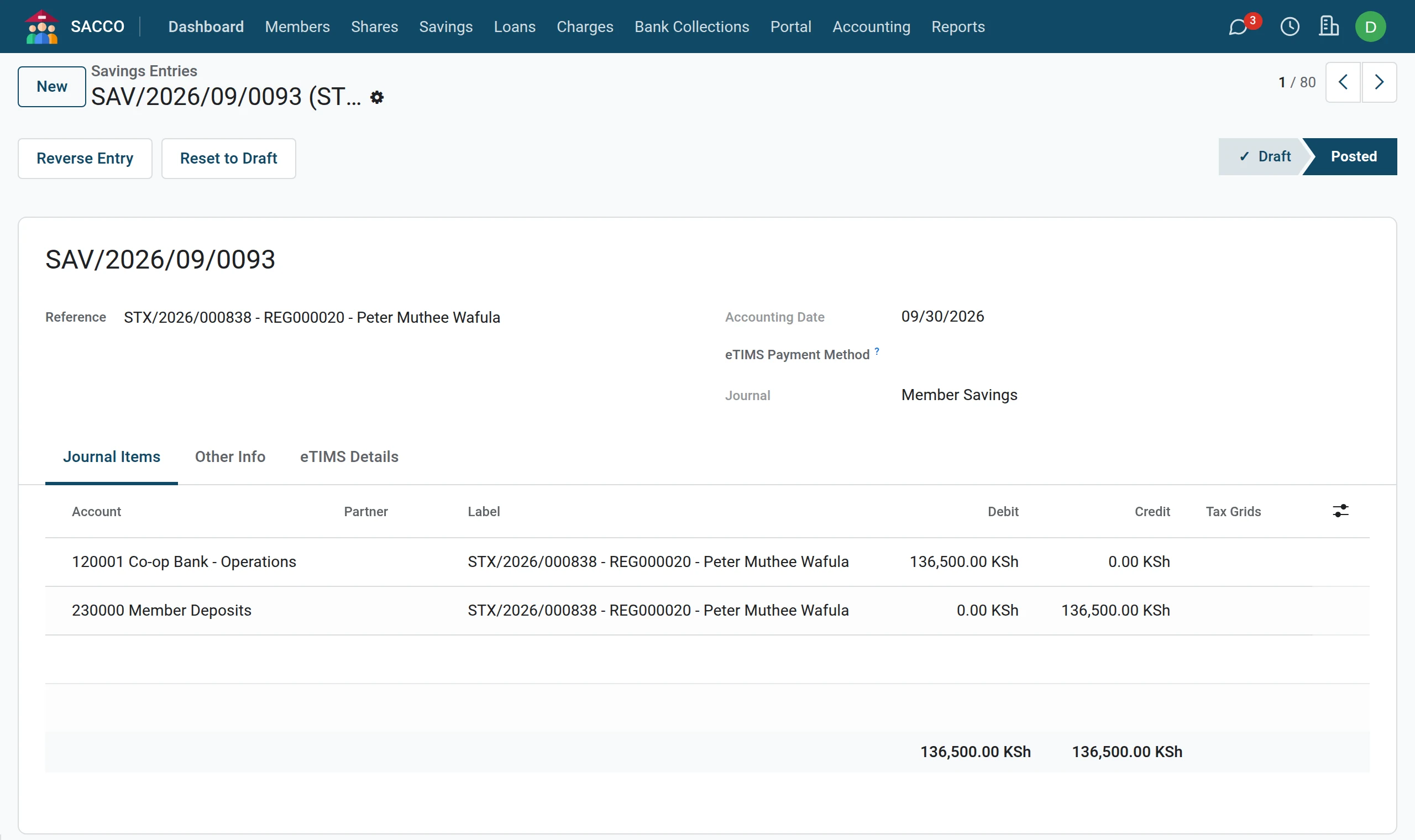
Click an entry to see its lines under Journal Items: the account debited and the account credited.
Reversals
Do not change or delete a SACCO entry in the Accounting app. Reverse the transaction itself (the savings transaction, the repayment, the charge payment): the system reverses the journal entry with it, so the member’s balance and the ledger stay equal.
If confirming is refused
| Message | What to do |
|---|---|
| Savings journal not configured. Please configure SACCO Accounting settings. | Press Fill Empty Accounts (journals and accounts). |
| Savings liability account not configured for product … | Set the default on the Savings Accounts tab or on the product. |
| Loan asset account not configured for product … | Set the default on the Loan Accounts tab or on the product. |
| Payment account not configured for method … | Fill in the Cash & Bank tab. |
| Interest expense account not configured. / Fee income account not configured. | Fill in the Savings Accounts tab. |
Was this page helpful?