

Dashboards & analytics
EduPrime ships role-based dashboards and a flexible analytics layer so leaders see the numbers that matter – enrolment, attendance, finances, academics – and can build, filter and export their own views without a report writer.
Where to find it — App drawer → Bria — Insights → Class Analytics → Cohort Insights.
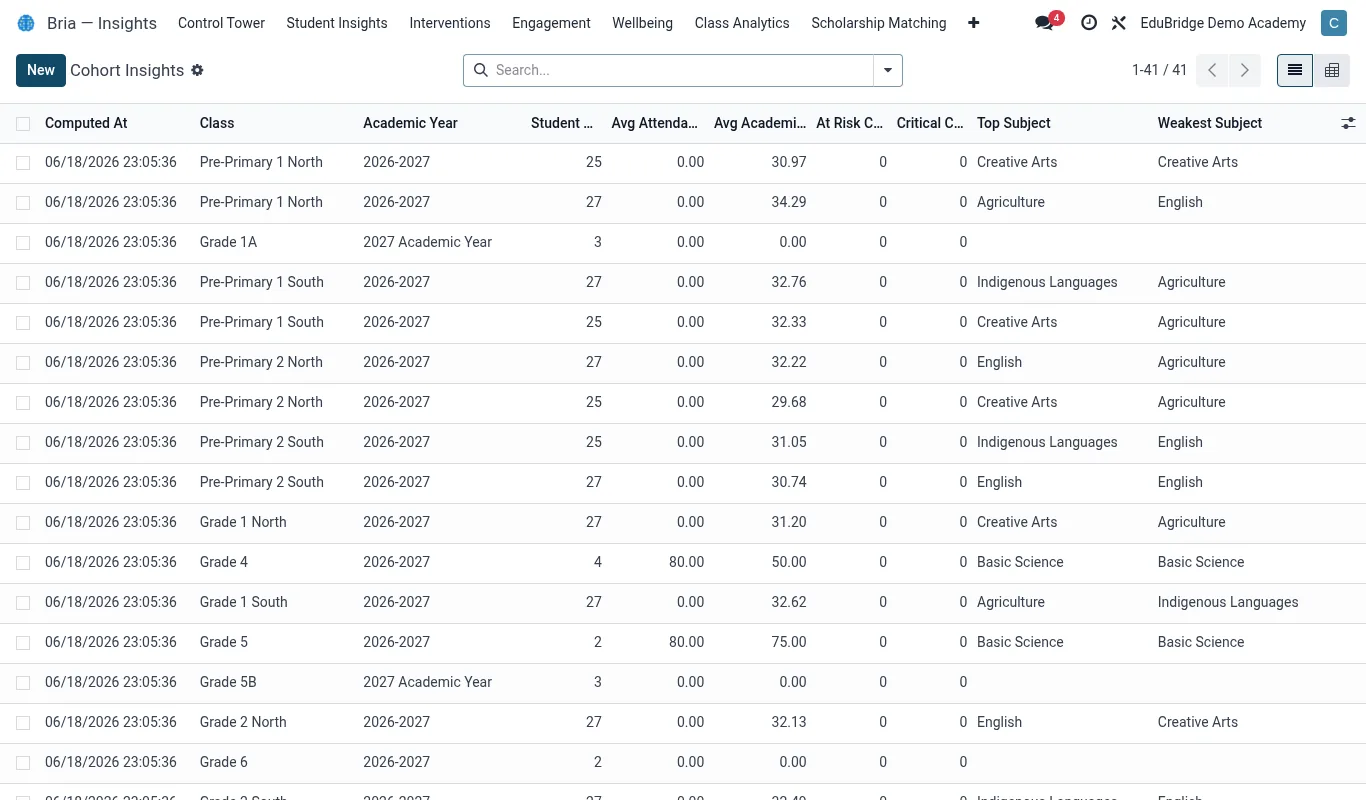
The key dashboards
Each role lands on a dashboard tuned to its decisions:
| Dashboard | Headline KPIs |
|---|---|
| Principal / VC | Total enrolment, attendance %, fee collection rate, at-risk count, staff ratio |
| Finance / Bursar | Billed vs collected, outstanding by aging band, scholarships, daily receipts |
| Academic / Dean | Pass rates, GPA distribution, subject performance, exam readiness |
| Admissions | Applications, conversion funnel, offers, accepted vs target |
| Welfare / Dean of Students | Bria risk bands, open interventions, discipline and counselling load |
KPIs, filters & building views
Behind the dashboards, every list in EduPrime can become an analysis. Switch any list to a graph or pivot view to slice data live:
- Open a record list – e.g. invoices, results, enrolments.
- Switch to Pivot, then drag dimensions onto rows and columns (e.g. programme × semester) and pick a measure (count, sum of amount, average mark).
- Use Filters and Group By to narrow and segment – combine them to answer a specific question.
- Save the configuration as a Favourite so the exact view is one click away next time.
Tip — Save a useful pivot as a shared favourite and it becomes available to your whole team – a lightweight way to standardise a board report without building a custom module.
Exporting
Any list or pivot exports cleanly for board packs and offline analysis:
- Export to spreadsheet – choose the columns and download as XLSX or CSV; save the column set as an export template for repeat use.
- Pivot download – export the pivot table as built, totals included.
- Scheduled reports – have a dashboard emailed to leadership on a schedule (e.g. Monday morning).
Important — Exports carry personal data outside the system. Restrict export rights to senior roles, and remind staff that an exported spreadsheet is the institution’s responsibility under data-protection law – it must be stored securely and deleted when no longer needed.
Related pages
Was this page helpful?