

Cataloguing titles (MARC-21)
Cataloguing is how a book becomes findable. EduPrime uses the MARC-21 standard so your records are interchangeable with national union catalogues and any library system that speaks MARC.
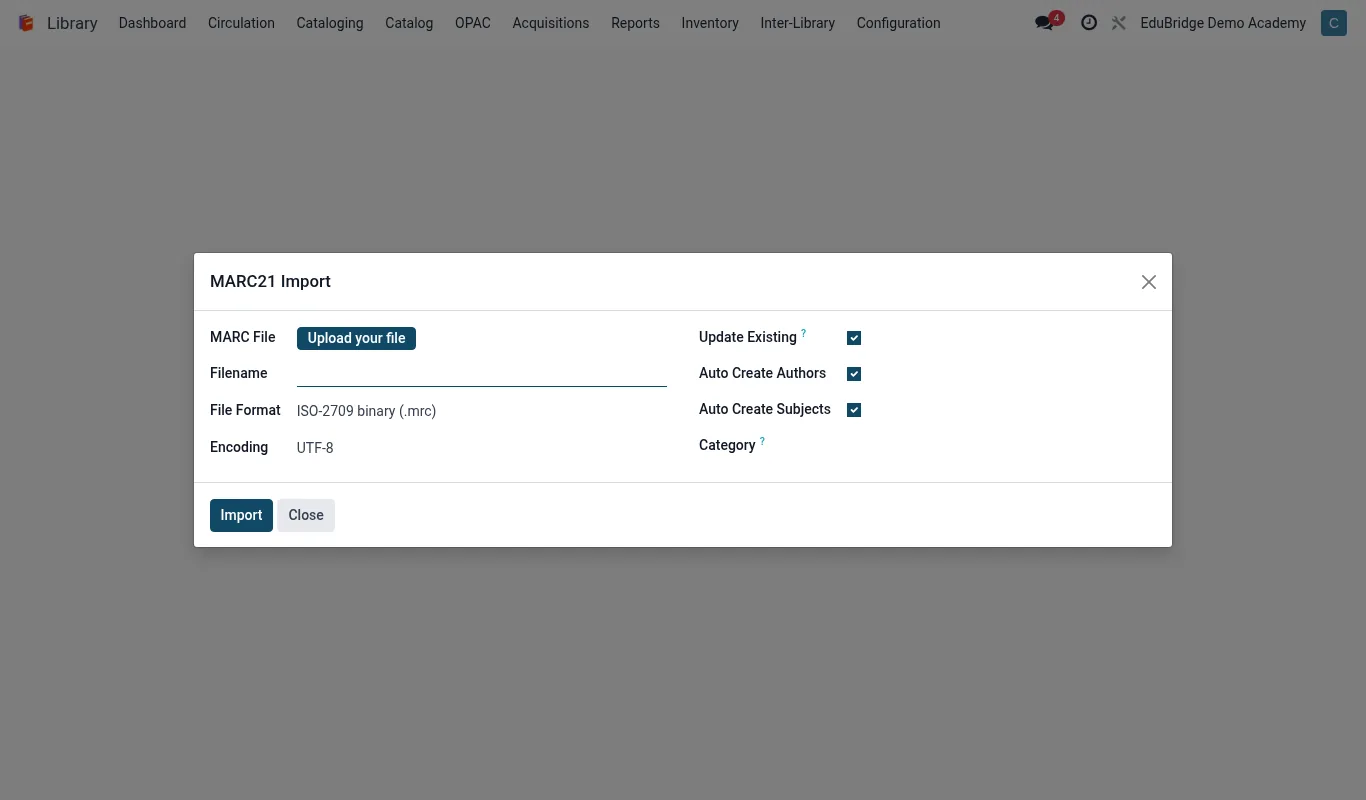
Where to find it — App drawer → Library → Cataloging → MARC21 Import.
Adding a title
You can create a record three ways, fastest first.
- Z39.50 / ISBN lookup – type or scan the ISBN; EduPrime fetches the full MARC record from connected catalogues and you simply confirm.
- Import a MARC file – upload a
.mrcor MARCXML file to load many titles at once. - Manual entry – create a blank record and fill the fields yourself for items with no ISBN.
To add a title manually, open Catalogue → Titles → New and complete the core fields.
Core MARC fields
You do not need every MARC tag. Populate these and your record is complete and searchable.
| Tag | Field | Example |
|---|---|---|
| 020 | ISBN | 978-9966-25-123-4 |
| 100 | Main author | Ngugi wa Thiong'o |
| 245 | Title statement | Weep Not, Child |
| 260/264 | Publication | Heinemann, 1964 |
| 650 | Subject heading | Kenya – Fiction |
| 082 | Dewey class | 823.914 |
Tip – Use the 650 subject headings consistently – they power the OPAC's subject browse and the course reading lists. A controlled vocabulary is worth the discipline.
Copies, barcodes & classification
A title is not loanable until it has at least one copy. On the title record open the Copies tab and add a row per physical item.
- Click Add a copy.
- Scan or print the barcode – EduPrime can auto-generate a sequential accession number if you have no pre-printed labels.
- Set the shelf location (the call number derived from the Dewey or Library of Congress class).
- Set the collection (Reference copies are non-loanable; Reserve copies get short loans).
- Set the condition (New, Good, Worn, Withdrawn).
The call number is built from the classification plus a cutter for the author, giving the shelf order. Print spine labels in a batch from Copies → Print labels.
Important – Each copy barcode must be unique across the whole library. Re-using a withdrawn barcode confuses circulation history – mark old copies Withdrawn rather than deleting them so loan history stays intact.
Related pages
Was this page helpful?